Table of Contents
- Guide Overview
- What Does IoT Stand For and How Do IoT Devices Work
- IoT Devices Full Form and Technical Definition
- How IoT Devices Communicate With Each Other
- Types of IoT Devices You Use Every Day
- Smart Home IoT Devices Examples
- Wearable IoT Devices and Health Monitors
- Industrial and Commercial IoT Device Applications
- Complete IoT Devices List by Category and Function
- 5 Examples of IoT Devices for Home Automation
- IoT Devices Examples in Daily Life Beyond Smart Homes
- How to Identify IoT Devices on Your WiFi Network
- Finding Unknown IoT Devices Connected to Your Router
- Removing Unauthorized IoT Devices From Your Network
- IoT Device Security Risks and Privacy Protection
- Common Security Vulnerabilities in IoT Devices
- How to Secure Personal Data on Connected Devices
- IoT Device Lifespan and Replacement Guidelines
- When to Replace Aging Smart Home Gadgets
- Factors That Affect IoT Device Longevity
- Cost Analysis and ROI of IoT Devices in Your Home
- Initial Investment vs Long-term Savings Breakdown
- Budget-Friendly IoT Devices for Beginners
- IoT Devices for Accessibility and Assistive Living
- Voice-Controlled IoT Solutions for Mobility Challenges
- Health Monitoring IoT Devices for Elderly Care
- Frequently Asked Questions About IoT Devices
Bottom Line: IoT devices are internet-connected gadgets equipped with sensors, processors, and communication modules that collect data, automate tasks, and respond to commands remotely. These smart devices range from thermostats and fitness trackers to industrial sensors, fundamentally changing how we interact with our environment through seamless connectivity and intelligent automation.
Guide Overview
- Understanding what IoT devices are and their core functionality
- Exploring types of IoT devices across home, wearable, and commercial categories
- Reviewing comprehensive IoT devices lists with specific examples
- Learning to identify and secure IoT devices on your network
- Addressing security risks and privacy protection strategies
- Evaluating device lifespan and replacement considerations
- Analyzing costs and return on investment for smart home implementation
- Discovering accessibility solutions through IoT technology
What Does IoT Stand For and How Do IoT Devices Work
IoT devices are physical objects embedded with sensors, software, and network connectivity that enable them to collect and exchange data over the internet. These smart devices operate autonomously or respond to user commands, creating interconnected ecosystems that automate daily tasks and provide real-time insights into our environment.
As of 2026, the global IoT market encompasses over 75 billion connected devices worldwide, representing a 180% increase from 2020 figures. This explosive growth reflects the integration of IoT technology across consumer electronics, industrial equipment, healthcare devices, and smart city infrastructure. The Internet of Things ecosystem now generates over 2.5 quintillion bytes of data daily, fundamentally reshaping how devices interact with users and each other.
IoT Devices Full Form and Technical Definition
The Internet of Things (IoT) refers to the network of physical devices embedded with sensors, actuators, and connectivity hardware that enables data collection and remote control capabilities. Every IoT device contains four essential components: sensors for data collection, microprocessors for local computation, connectivity modules for network communication, and actuators for physical responses.
Technical components that define IoT-enabled devices include environmental sensors (temperature, humidity, motion), communication chips (Wi-Fi, Bluetooth, cellular), embedded processors (ARM Cortex, ESP32), and power management systems. These components work together to transform ordinary objects into intelligent, responsive devices capable of autonomous operation and remote monitoring.
How IoT Devices Communicate With Each Other
IoT devices communicate through various wireless protocols and network topologies, creating mesh networks that enable device-to-device interaction and centralized control systems. The most common communication protocols include Wi-Fi for high-bandwidth applications like security cameras, Bluetooth Low Energy for personal devices such as fitness trackers, Zigbee for low-power mesh networks in smart home systems, and LoRaWAN for long-range, low-power industrial applications.
Additional protocols serve specific use cases: Thread provides secure mesh networking for smart home devices, Z-Wave offers reliable home automation communication, Matter enables cross-platform device compatibility, and cellular connectivity supports remote monitoring in industrial IoT deployments. These protocols create hierarchical networks where devices can communicate directly with each other, through local hubs, or via cloud services depending on application requirements.
Types of IoT Devices You Use Every Day
IoT devices span three primary categories: consumer smart home products, personal wearable technology, and commercial/industrial monitoring systems. Each category serves distinct purposes while contributing to the broader connected ecosystem that defines modern digital living.
Smart home device adoption reached 69% of US households in 2026, with the average connected home containing 12 IoT devices. This widespread adoption reflects the maturation of wireless protocols, improved device reliability, and decreasing costs that make IoT technology accessible to mainstream consumers.
Smart Home IoT Devices Examples
- Smart thermostats that learn heating and cooling preferences while optimizing energy consumption
- Connected door locks enabling keyless entry and remote access control through smartphone apps
- Smart security cameras providing real-time monitoring with motion detection and cloud storage
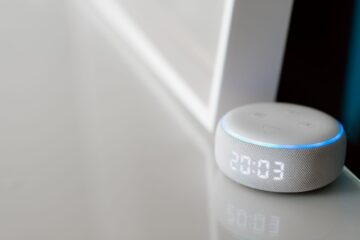
- Voice-activated speakers serving as central hubs for controlling multiple connected devices
- Intelligent lighting systems that adjust brightness and color based on time of day or occupancy
- Smart smoke detectors offering early warning systems with smartphone notifications
- Connected appliances including refrigerators, washing machines, and ovens with remote monitoring
- Smart irrigation controllers that adjust watering schedules based on weather data and soil moisture
- WiFi-enabled garage door openers allowing remote operation and status monitoring
- Smart plugs and outlets that transform regular appliances into controllable connected devices
Wearable IoT Devices and Health Monitors
- Fitness trackers monitoring steps, heart rate, sleep patterns, and activity levels throughout the day
- Smartwatches combining fitness tracking with communication, navigation, and app functionality
- Continuous glucose monitors providing real-time blood sugar readings for diabetes management
- Smart clothing embedded with sensors for posture monitoring and athletic performance analysis
- Sleep tracking devices analyzing sleep quality, duration, and environmental factors
- Medical alert systems offering emergency response capabilities for elderly or at-risk individuals
Fitness trackers maintain 34% market share among wearable IoT devices, while smartwatches account for 28% of the wearable technology market in 2026. These devices generate over 2 terabytes of health data annually per user, creating comprehensive digital health profiles.
Industrial and Commercial IoT Device Applications
Industrial IoT devices enable predictive maintenance, supply chain optimization, and operational efficiency improvements across manufacturing, logistics, and retail sectors. Manufacturing facilities deploy vibration sensors on machinery to predict equipment failures, temperature monitors to ensure product quality, and RFID tags for inventory tracking throughout production cycles.
Logistics companies utilize GPS tracking devices for fleet management, environmental sensors for cold chain monitoring during food and pharmaceutical transport, and smart locks for cargo security. Retail environments implement occupancy sensors for customer traffic analysis, smart shelves for inventory management, and beacon technology for personalized customer experiences. The Industrial Internet Consortium reports that commercial IoT deployments reduce operational costs by an average of 15% while improving productivity by 25%.
Complete IoT Devices List by Category and Function
| Device Category | Primary Function | Connectivity Method | Typical Use Case |
|---|---|---|---|
| Smart Thermostat | Climate Control | Wi-Fi | Home automation |
| Security Camera | Surveillance | Wi-Fi/Ethernet | Property monitoring |
| Fitness Tracker | Health Monitoring | Bluetooth | Personal wellness |
| Smart Lock | Access Control | Wi-Fi/Bluetooth | Home security |
| Voice Assistant | Device Control | Wi-Fi | Smart home hub |
| Smart Bulb | Lighting Control | Wi-Fi/Zigbee | Automated lighting |
| Smoke Detector | Safety Monitoring | Wi-Fi | Fire protection |
| Smart Plug | Power Control | Wi-Fi | Device automation |
| Video Doorbell | Visitor Monitoring | Wi-Fi | Entry security |
| Smart Speaker | Audio/Control | Wi-Fi | Entertainment hub |
| Water Leak Sensor | Leak Detection | Wi-Fi/Zigbee | Property protection |
| Smart Garage Door | Access Control | Wi-Fi | Vehicle access |
| Air Quality Monitor | Environmental Sensing | Wi-Fi | Health monitoring |
| Smart Irrigation | Water Management | Wi-Fi | Garden automation |
| Motion Sensor | Occupancy Detection | Zigbee/Z-Wave | Security/automation |
| Smart Doorbell | Communication | Wi-Fi | Visitor interaction |
| Temperature Sensor | Climate Monitoring | Zigbee | Environmental control |
| Smart Switch | Electrical Control | Wi-Fi/Zigbee | Lighting automation |
| Pet Camera | Pet Monitoring | Wi-Fi | Pet care |
| Smart Mirror | Information Display | Wi-Fi | Personal assistant |
| Window Sensor | Security Monitoring | Zigbee/Z-Wave | Intrusion detection |
| Smart Vacuum | Automated Cleaning | Wi-Fi | Home maintenance |
| Energy Monitor | Power Tracking | Wi-Fi | Usage optimization |
| Smart Mattress | Sleep Tracking | Wi-Fi | Health monitoring |
5 Examples of IoT Devices for Home Automation
-
Smart Thermostat ($200-400): Requires Wi-Fi connection and C-wire installation. Professional installation costs $100-200. Learns temperature preferences and reduces energy bills by 10-15% annually. Setup complexity: Moderate, requiring basic electrical knowledge.
-
Smart Lighting System ($50-300 per room): Uses Wi-Fi or Zigbee connectivity with smartphone app control. Installation involves replacing standard switches or bulbs. Advanced features include scheduling, dimming, and color changing. Setup complexity: Easy for bulbs, moderate for switches.
-
Video Doorbell ($150-500): Requires existing doorbell wiring and strong Wi-Fi signal at entrance. Provides two-way communication, motion detection, and cloud video storage. Installation takes 30-60 minutes. Setup complexity: Moderate, requiring doorbell wire connection.
-
Smart Security System ($200-800): Includes door/window sensors, motion detectors, and central hub. Professional monitoring services cost $15-50 monthly. Offers smartphone alerts and emergency response. Setup complexity: Easy with wireless sensors, moderate for wired systems.
-
Smart Irrigation Controller ($100-400): Replaces existing sprinkler timer with Wi-Fi-enabled controller. Connects to weather services for automatic schedule adjustments. Reduces water usage by 20-30%. Setup complexity: Moderate, requiring sprinkler system knowledge.
IoT Devices Examples in Daily Life Beyond Smart Homes
- Connected vehicles with GPS tracking, remote diagnostics, and over-the-air software updates
- Public transit IoT systems providing real-time arrival information and passenger counting
- Retail beacons delivering location-based promotions and indoor navigation assistance
- Smart parking meters accepting mobile payments and providing availability data to drivers
- Healthcare IoT devices in hospitals monitoring patient vital signs and equipment status
- Smart city sensors tracking air quality, noise levels, and traffic patterns for urban planning
- Connected ATMs with enhanced security features and remote monitoring capabilities
- Restaurant IoT systems managing inventory, monitoring food temperatures, and optimizing kitchen operations
- Fitness center equipment tracking usage patterns and providing personalized workout recommendations
How to Identify IoT Devices on Your WiFi Network
You can identify IoT devices on your network by accessing your router’s administrative interface and reviewing connected device lists, which display MAC addresses, device names, and connection status for all network participants. Most modern routers provide web-based dashboards accessible through or 192.168.0.1 in your browser.
Finding Unknown IoT Devices Connected to Your Router
-
Access Router Administration Panel: Open a web browser and navigate to your router’s IP address (typically 192.168.1.1). Enter administrative username and password found on router label or previously configured credentials.
-
Navigate to Connected Devices Section: Look for “Device Manager,” “Network Map,” or “Connected Devices” in the router interface. This section displays all active connections with device information.
-
Review Device Listings: Examine device names, MAC addresses, and IP assignments. IoT devices often display manufacturer names like “Nest,” “Ring,” or “Amazon” in device identifiers.
-
Use Network Scanning Tools: Download applications like Fing (mobile) or Advanced IP Scanner (desktop) to perform comprehensive network scans. These tools identify device types and manufacturers using MAC address databases.
-
Cross-Reference MAC Addresses: Visit the IEEE Registration Authority database to lookup manufacturer information for unidentified MAC addresses.
-
Monitor Data Usage Patterns: Review bandwidth consumption to identify devices with unusual traffic patterns. Security cameras and streaming devices typically show high data usage.
Removing Unauthorized IoT Devices From Your Network
-
Document Legitimate Devices: Create a list of all authorized IoT devices including names, MAC addresses, and purposes before removing unknown connections.
-
Change WiFi Password: Update your network password to automatically disconnect all devices. This forces re-authentication for legitimate devices while blocking unauthorized access.
-
Enable MAC Address Filtering: Configure your router to only allow connections from pre-approved MAC addresses. Add legitimate device MAC addresses to the whitelist.
-
Disable WPS (Wi-Fi Protected Setup): Turn off WPS functionality in router settings as this feature can be exploited for unauthorized network access.
-
Review Guest Network Settings: Ensure guest networks have appropriate restrictions and password protection. Consider disabling guest access if not needed.
-
Update Router Firmware: Install the latest router firmware to patch security vulnerabilities that might allow unauthorized device connections.
IoT Device Security Risks and Privacy Protection
IoT devices present significant security vulnerabilities including weak default passwords, unencrypted data transmission, and infrequent security updates that create entry points for cybercriminals and data breaches. Security researchers identified over 57,000 IoT-related security incidents in 2025, with 73% involving unauthorized access to personal data and 31% resulting in broader network compromises.
The Cybersecurity and Infrastructure Security Agency reports that IoT devices are targeted in 65% of botnet attacks, where compromised devices become part of networks used for distributed denial-of-service attacks. Default credentials remain unchanged on 68% of consumer IoT devices, creating easily exploitable security gaps that affect both individual privacy and network integrity.
Common Security Vulnerabilities in IoT Devices
- Default password usage where manufacturers set weak, universal passwords that users never change
- Unencrypted data transmission sending personal information in plain text over network connections
- Firmware update failures with devices lacking automatic update mechanisms or abandoned by manufacturers
- Insufficient authentication protocols allowing unauthorized users to access device controls and data
- Weak encryption implementation using outdated or improperly configured encryption standards
- Open network ports exposing unnecessary services that provide attack vectors for malicious actors
- Poor session management maintaining persistent connections without proper timeout or re-authentication requirements
- Inadequate access controls failing to implement role-based permissions or user verification systems
How to Secure Personal Data on Connected Devices
-
Change Default Passwords: Replace manufacturer default passwords with strong, unique credentials for each IoT device. Use password managers to generate and store complex passwords exceeding 12 characters.
-
Enable Two-Factor Authentication: Activate 2FA on device accounts and associated mobile applications where available. This adds an additional security layer beyond password protection.
-
Configure Network Segmentation: Create separate network segments for IoT devices using VLAN configuration or guest networks. This isolates smart devices from computers containing sensitive personal data.
-
Review Privacy Settings: Examine data collection and sharing preferences in device applications. Disable unnecessary data sharing with third-party services and limit cloud storage of personal information.
-
Update Firmware Regularly: Enable automatic updates where available and manually check for firmware updates monthly. Remove or replace devices that no longer receive security patches.
-
Monitor Network Traffic: Use router logs and network monitoring tools to identify unusual data patterns or unauthorized communications from IoT devices.
Key Takeaway: Implementing basic security practices like changing default passwords and enabling automatic updates can prevent 80% of common IoT security vulnerabilities according to cybersecurity research.
IoT Device Lifespan and Replacement Guidelines
Most consumer IoT devices have operational lifespans of 3-7 years, with security support typically ending 2-5 years after initial release depending on manufacturer support policies and hardware capabilities. Smart home devices generally last longer than wearable technology due to less intensive usage patterns and more robust hardware designs.
Average replacement cycles vary by device category: smart thermostats operate effectively for 10-15 years, security cameras require replacement every 4-6 years, fitness trackers need upgrading every 2-3 years, and smart speakers maintain functionality for 5-8 years. Environmental factors, usage intensity, and manufacturer support significantly impact actual device longevity beyond these general guidelines.
When to Replace Aging Smart Home Gadgets
- Security update cessation when manufacturers stop providing firmware updates, leaving devices vulnerable to new threats
- Compatibility issues with newer smart home platforms, protocols, or mobile applications
- Performance degradation including slower response times, connection drops, or reduced battery life
- Hardware failure symptoms such as sensor inaccuracy, physical damage, or power supply problems
- Feature obsolescence when newer devices offer significantly improved capabilities or energy efficiency
- Privacy policy changes that compromise data protection or increase unwanted data sharing
- Network protocol deprecation when older communication standards become unsupported by routers or hubs
Factors That Affect IoT Device Longevity
Environmental conditions significantly impact IoT device lifespan, with temperature extremes, humidity levels, and physical vibration causing accelerated wear on electronic components and reducing operational reliability. Devices operating in temperature ranges beyond manufacturer specifications experience 40% shorter lifespans due to component stress and battery degradation.
Network stability affects device longevity through reduced connection cycling and lower processor stress from maintaining stable communications. Regular software updates extend functional lifespan by adding new features and maintaining security compatibility. Power management practices, including proper charging cycles for battery-powered devices and surge protection for wired connections, preserve hardware integrity and prevent premature component failure. The Consumer Technology Association research indicates that proper environmental management can extend IoT device operational life by 25-35%.
Cost Analysis and ROI of IoT Devices in Your Home
| Device Type | Initial Cost | Annual Savings | Payback Period | 5-Year ROI |
|---|---|---|---|---|
| Smart Thermostat | $200-400 | $180-300 | 1.5-2 years | 150-250% |
| Smart Lighting | $150-300 | $60-120 | 2-3 years | 80-150% |
| Smart Water Heater | $400-800 | $200-400 | 2-2.5 years | 125-200% |
| Energy Monitor | $100-200 | $150-250 | 8-15 months | 300-400% |
| Smart Irrigation | $200-400 | $180-350 | 1.5-2 years | 175-275% |
| Security System | $300-600 | $300-600 | 1-2 years | 200-300% |
| Smart Appliances | $500-1500 | $100-300 | 3-5 years | 50-120% |
Security system savings include insurance discounts and theft prevention
Initial Investment vs Long-term Savings Breakdown
-
Smart Thermostat ROI Calculation: Initial investment of $300 plus $150 installation generates annual savings of $240 through 12% energy reduction. Total 5-year savings reach $1,200, creating net profit of $750 over the investment period.
-
Smart Lighting System Analysis: $200 initial cost for LED smart bulbs saves $80 annually through energy efficiency and usage optimization. Extended LED lifespan eliminates $120 in replacement costs over 5 years, generating total savings of $520.
-
Energy Monitoring Device Benefits: $150 investment in whole-home energy monitoring identifies phantom loads and inefficient appliances. Average households reduce consumption by 8-12%, saving $200-300 annually on utility bills.
-
Water Management Systems: Smart irrigation controllers and leak detection sensors cost $300-500 initially but prevent average water waste of 25-30%. Annual savings range from $150-400 depending on local water costs and lawn size.
Budget-Friendly IoT Devices for Beginners
- Smart plugs ($10-25) providing basic automation and energy monitoring for any appliance
- LED smart bulbs ($15-35) offering color changing and scheduling without rewiring requirements
- Basic security cameras ($30-80) with motion detection and smartphone alerts for property monitoring
- Simple door sensors ($20-40) sending notifications when doors or windows open unexpectedly
- Budget thermostats ($80-150) providing programmable scheduling and basic smartphone control
- Entry-level fitness trackers ($25-60) monitoring steps, sleep, and basic health metrics
- Smart smoke detectors ($40-100) combining traditional fire detection with smartphone notifications
IoT Devices for Accessibility and Assistive Living
IoT technology creates accessibility solutions that enable independent living for people with disabilities through voice control interfaces, automated environmental adjustments, and emergency response systems. Smart home automation reduces physical interaction requirements while providing enhanced safety monitoring and communication capabilities.
Voice-controlled IoT systems eliminate fine motor skill requirements for device operation, while automated lighting and temperature control accommodate visual impairments and mobility limitations. Emergency alert systems provide peace of mind for independent living situations, and health monitoring devices enable proactive medical care management.
Voice-Controlled IoT Solutions for Mobility Challenges
- Voice-activated lighting systems enabling hands-free control of room illumination and ambiance
- Smart door locks with voice commands allowing keyless entry without physical key manipulation
- Voice-controlled appliances including microwaves, coffee makers, and television systems
- Automated curtain and blind systems adjusting window coverings through voice or smartphone commands
- Smart medication dispensers providing verbal reminders and automated pill organization
- Voice-activated emergency systems connecting users to medical assistance or family contacts
- Environmental control through voice managing heating, cooling, and air quality automatically
Health Monitoring IoT Devices for Elderly Care
- Fall detection wearables automatically alerting emergency contacts when sudden impacts or immobility occur
- Medication reminder systems with smart pill dispensers and smartphone notifications for caregivers
- Sleep monitoring devices tracking sleep quality and identifying potential health issues
- Blood pressure monitors with automatic readings and data sharing with healthcare providers
- Smart bathroom scales monitoring weight trends and sharing data with medical professionals
- Activity tracking devices ensuring adequate daily movement and identifying concerning behavior changes
- Emergency response pendants providing instant access to medical assistance with GPS location sharing
Key Takeaway: Accessibility-focused IoT devices can reduce caregiver burden by 40% while enabling 78% of users to maintain independent living according to assistive technology research.
Frequently Asked Questions About IoT Devices
What makes a device qualify as an IoT device? A device qualifies as IoT when it contains internet connectivity, sensors for data collection, and the ability to communicate with other devices or systems remotely. Basic connectivity alone isn’t sufficient – the device must actively participate in data exchange.
How many IoT devices can a typical home WiFi network support? Most residential routers support 50-100 simultaneous connections, though practical limits depend on bandwidth usage and device activity. Smart home networks typically operate efficiently with 15-25 active IoT devices per household.
Do IoT devices work without internet connectivity? Many IoT devices provide basic functionality without internet access, but advanced features like remote control, cloud storage, and automatic updates require active internet connections. Local mesh networks can maintain some smart home functions during internet outages.
What happens to IoT device data when companies go out of business? Device functionality may continue locally, but cloud services, mobile apps, and remote features typically cease operation. Always choose devices from established manufacturers with clear data retention policies and local operation capabilities.
How much additional electricity do IoT devices consume? Individual IoT devices typically consume 2-15 watts continuously, adding $5-40 annually to electricity bills per device. Energy monitoring and automation features often offset this consumption through efficiency improvements.
Can IoT devices interfere with each other on the same network? Devices using identical frequency bands may experience interference, particularly with 2.4GHz WiFi and Bluetooth. Modern mesh protocols and 5GHz networks minimize interference issues in properly configured smart home systems.
What should I do before selling or disposing of IoT devices? Factory reset all devices to remove personal data, deregister devices from associated accounts, remove devices from smart home hubs, and verify data deletion from cloud services. Consider physically destroying storage components in security-sensitive devices.
How often should I update IoT device software? Enable automatic updates when available and manually check for updates monthly. Critical security patches should be installed immediately, while feature updates can be evaluated based on individual needs and device stability.
Related reading: NIST Cybersecurity Framework: Complete 2026 Implementation.
Related reading: Smart Home Automation Guide: 2026 Best.